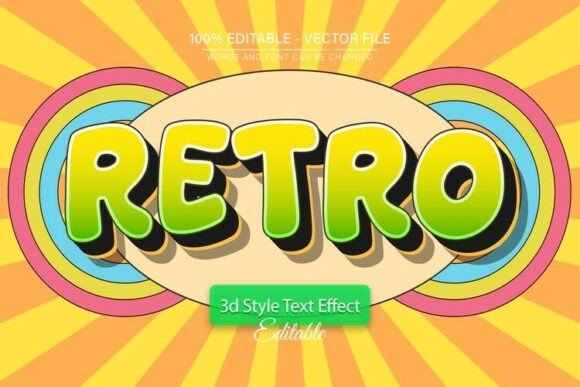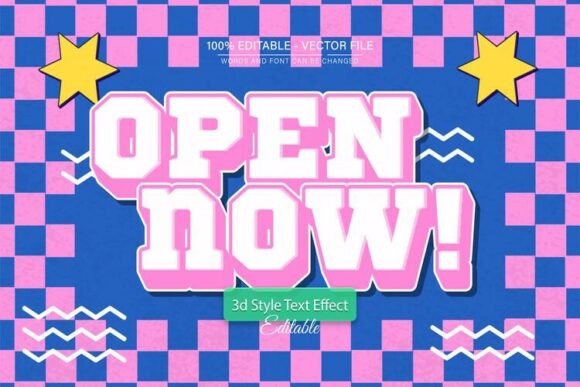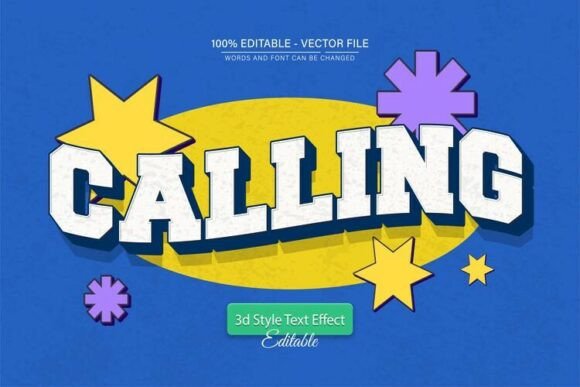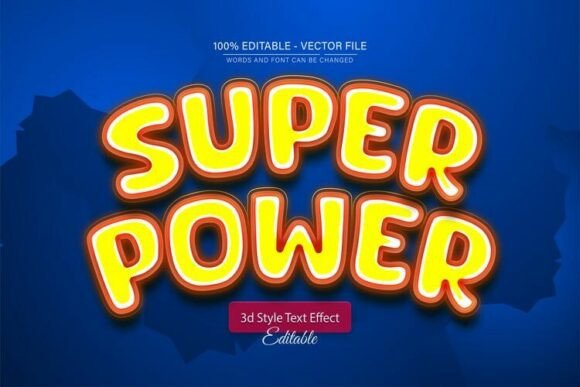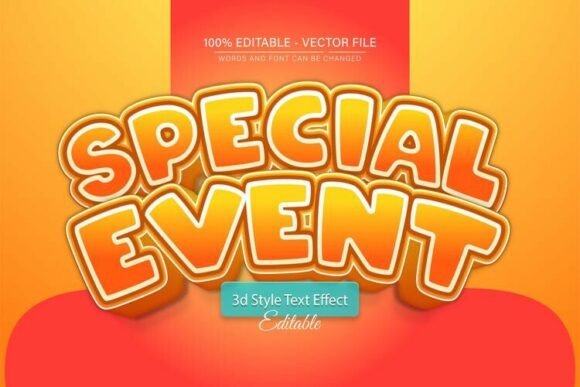
Special Event Cartoon 3D Text Effect
The Special Event Cartoon 3D Text Effect is a versatile and visually engaging design asset that brings a playful, dynamic energy to any creative project. Designed as a fully editable vector graphic, it allows users to scale the text up or down without compromising quality, making it ideal for both digital and print applications. Whether you're crafting promotional materials for a themed party, designing social media graphics for a product launch, or creating eye-catching banners for an event, this 3D text effect adds a layer of depth and personality that standard fonts simply can't match.
What makes this design particularly useful is its flexibility. The text is fully editable, so you can customize it to say anything you need. From birthdays to corporate events, from cartoons to carnival themes, the ability to tailor the message to your specific context ensures the design remains relevant and impactful. Plus, with support for unlimited color variations, you can match the text effect to your brand palette or event theme with ease.
Why This Design Stands Out
Unlike static images or raster-based graphics, the Special Event Cartoon 3D Text Effect is built as a vector file in both EPS and JPG formats. This means it retains clarity at any size—whether you're printing a large poster or displaying the design on a mobile screen. The inclusion of a JPG version allows for quick previews and easy sharing, while the EPS file gives you full editing control in Adobe Illustrator.
One of the standout features is the no skill requirement to use it effectively. Even if you're new to Adobe Illustrator, the process of editing the text is straightforward. Simply open the file, select the text tool (by pressing "T" on your keyboard), and click on the placeholder text to replace it with your own. From there, you can tweak colors, adjust spacing, or experiment with different visual effects to make the design your own.
Creative Applications Across Industries
This 3D text effect is not limited to a single niche or industry. Its cartoonish, fun aesthetic makes it especially popular among event planners, marketers, and educators who want to create memorable visuals. Here are a few ways different professionals can put it to use:
- Event Planners: Use the text effect for themed parties, weddings, or community events. Customize the text to say "You're Invited" or "Celebrate With Us" and pair it with bright colors and playful illustrations.
- Marketers: Incorporate the design into social media campaigns, email headers, or landing pages for product launches or seasonal promotions. It works especially well for brands with a youthful or energetic tone.
- Educators: Create engaging classroom posters, presentation slides, or student certificates. The 3D effect draws attention without being overwhelming, making it ideal for visual learners.
- Bloggers & Content Creators: Use the design to enhance your thumbnails, blog headers, or quote graphics. It adds a polished, professional look without requiring advanced design skills.
For entrepreneurs and small business owners, this asset offers a cost-effective way to elevate branding materials. Whether you're designing a flyer for a local workshop or a digital ad for an online course, the cartoon 3D text effect helps your message stand out in a crowded visual space.
How to Customize the Design for Maximum Impact
Customization is key to making the Special Event Cartoon 3D Text Effect feel fresh and relevant to your audience. Here are some practical tips to help you get the most from this editable vector design:
- Choose the Right Font: While the design comes with a specific font style, you can change it to match your brand or theme. Look for free fonts included in the download or browse platforms like Google Fonts or Dafont for alternatives.
- Experiment with Color: Try different color combinations to suit the mood of your event or campaign. Bright neon shades work well for energetic themes, while softer pastels create a whimsical or vintage feel.
- Adjust the Layout: Don't be afraid to play with the spacing, alignment, or layering of the text. You can stretch the letters, add shadows, or incorporate background elements to enhance the 3D illusion.
- Pair With Supporting Graphics: Add icons, illustrations, or decorative borders to complement the text. For example, if you're promoting a carnival-themed event, include balloons, confetti, or cartoon animals around the text.
- Use It Across Formats: Since the design is fully scalable, use it in multiple formats—social media posts, print flyers, banners, and even merchandise like t-shirts or mugs. Consistency across platforms reinforces your message and builds brand recognition.
Design Tips for Clarity and Cohesion
While the 3D text effect is inherently eye-catching, it's important to maintain clarity and readability. Avoid overloading the design with too many effects or competing elements. Keep the background simple if the text is bold and colorful. Conversely, if the background is complex or textured, opt for a cleaner, more minimal version of the text.
Consistency is also important when using the design across multiple pieces. If you're creating a series of promotional materials for an event, make sure the color scheme, font style, and overall tone remain cohesive. This helps reinforce your message and makes your branding more recognizable.
Who Should Use This Design?
This 3D text effect is perfect for a wide range of users, from hobbyists to professional designers. If you're a freelancer looking for a quick yet polished design element, or a small business owner who wants to create engaging visuals without hiring a designer, this asset is a valuable tool. It's also great for educators and creators who want to make their content more visually appealing and accessible.
Even if you're not familiar with Adobe Illustrator, the ease of editing means you can still achieve professional results. Just follow the simple steps provided: open the file, select the text tool, and change the message to suit your needs. From there, the possibilities are limited only by your creativity.
Final Thoughts
The Special Event Cartoon 3D Text Effect is more than just a trendy design element—it's a practical, adaptable tool that empowers users to communicate with style and impact. Whether you're designing for fun, business, or education, this editable vector graphic offers a creative shortcut without sacrificing quality or originality. By understanding how to customize and apply it effectively, you can bring your ideas to life with confidence and clarity.